How to Avoid Reused Content: YouTube Faceless Guide
A straightforward guide to getting monetized without showing your face, using stock clips safely, and adding real value YouTube actually accepts.

If you want to know how to avoid reused content on YouTube faceless channels, the answer comes down to one principle: human transformation. You must add original commentary, unique narrative structure, and distinct editing so the final upload feels completely new.
YouTube does not reject faceless channels because they lack a human face. It rejects channels when automated scrapers or human reviewers see clips that look identical to dozens of other uploads across the platform.
What YouTube Actually Means by Reused Content
Many beginners assume reused content is the same thing as a copyright strike. It is not. You can have full legal permission to use a clip and still get rejected by the YouTube Partner Program.
Copyright is about legal ownership. Reused content is about viewer value. YouTube wants to reward creators who make something new, rather than channels that mirror existing television shows, viral shorts, or automated clip reels.
When a reviewer inspects your channel, they ask a simple question. Did the creator add significant commentary, teaching, or artistic value to this footage, or did they simply stitch together clips they found on social media?

161,540 views on a channel with 96,300 subscribers, 1.7 times its size.
Creator Auron Raveriya explored this exact rejection in his video 'Dear YouTube : WHY Rejected My AI Channel....? 😭' which picked up 161,540 views from a channel of 96,300 subscribers. Automated clip generation without personal input is usually what causes this heartbreak.
How to Avoid Reused Content on YouTube Faceless Channels
To keep your channel completely safe, treat your source media like cooking ingredients. Nobody wants a restaurant that serves raw flour out of a bag, but they will happily pay for warm sourdough bread.
Every scene should serve your script, not the other way around. If you download a three-minute nature clip and let it play silently beneath ambient synth music, you are walking straight into a monetization denial.
- Write your script from scratch before you collect any visuals.
- Keep individual external clips brief, ideally between three and seven seconds long.
- Layer your thoughts, research, and jokes directly over the footage.
- Introduce custom motion graphics, color treatments, or framing borders.
- Mix several visual sources, such as public domain photos, custom screen recordings, and drawn assets.
If you are planning your initial setup, our guide on how to start a faceless YouTube channel walks through the technical pieces from day one.
The Stock Footage Trap and How to Escape It
Free stock websites are a blessing and a curse. You download a sleek clip of a businessman tapping a tablet, feeling proud of your montage. The problem is that fourteen thousand other creators downloaded that exact clip this week.
When five hundred channels use identical stock clips in identical financial videos, YouTube systems see repetitive patterns. You can still use stock assets, but you cannot leave them untouched.
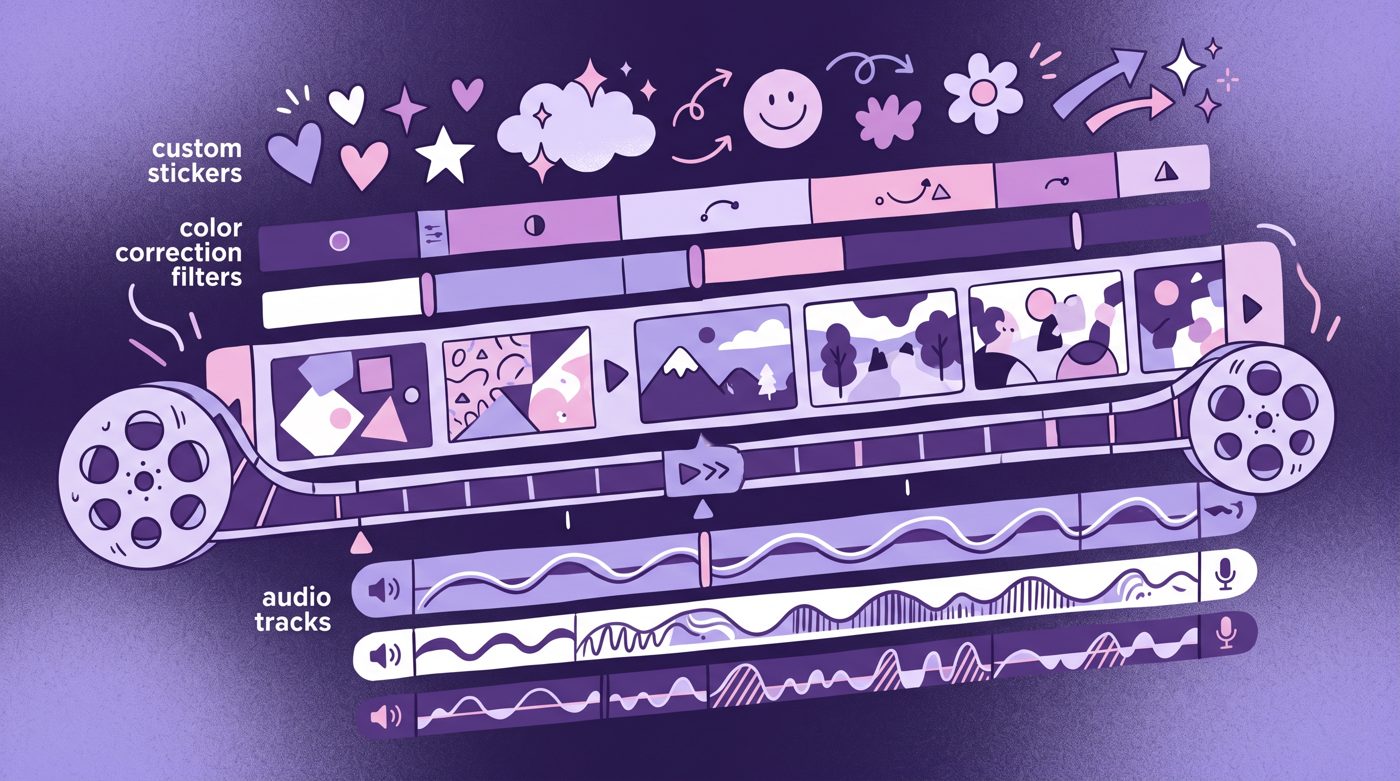
Crop in slightly to change the framing. Apply subtle color grading so the clip matches your channel palette. Add animated text callouts or pointer arrows that highlight the specific detail you are discussing.
Voiceovers That Convince Human Reviewers
Your audio track is often what saves you during a manual monetization review. A distinct voice explaining a subject proves immediately that someone sat down and thought through the presentation.
If you record with your own microphone, you sound like a human with an opinion. If you choose an artificial narrator, pick one with emotional nuance and write conversational sentences that sound like spoken speech.
You can read our breakdown of AI voice YouTube monetization to see what automated voices pass review and which robotic accents get channels flagged.

2,443 views on a channel with 2,450 subscribers, 1.0 times its size.
Overcoming these hurdles is completely possible with the right edits. The creator behind Bright Filter proved this in 'I Reapplied After “Repetitive Content” & Got Monetized! 😱🔥', turning a channel of 2,450 subscribers into a monetized property with 2,443 views on the update.
Common Formats That Almost Always Get Flagged
Some video formats look easy because you can make them in twenty minutes. Unfortunately, those exact formats are red flags for YouTube reviewers.
- Reddit story readings that just scroll text across a gameplay background.
- Top ten compilations pulled directly from viral TikTok accounts without critique.
- Sports highlight reels that only add background trap beats.
- Automated motivational quote channels playing slow-motion drone flights.
- Relaxation music channels looping identical five-second water animations.
If anyone on social media promises you can paste links into a tool and earn thousands while sleeping, run away. Real faceless channels that build lasting audiences require thoughtful scriptwriting and careful pacing.
Learning how to write a YouTube script will protect your channel far better than any trick or loophole.
How to Fix Your Channel If You Were Already Rejected
If you open YouTube Studio and see a rejection banner for reused content, do not delete your entire channel in a panic. You have clear steps to take before your reapplication window opens.
First, find your weakest videos. These are the uploads where you spoke the least and borrowed the most. Delete or unlist videos that rely heavily on third-party clips without clear educational commentary.
Second, produce several brand-new uploads that put your original voice front and center. Show your editing workflow in your channel banner or about section to reinforce that a real creator runs this project.
If generating custom visuals, backgrounds, and motion for every single scene feels like an exhausting full-time job, you can use Naravid to turn your written scripts into illustrated and animated videos with consistent style.
Useful links
- YouTube Channel Monetization PoliciesOfficial rules regarding reused and repetitive content from Google support.
- YouTube Creators Official ChannelDirect advice from YouTube policy teams about community guidelines.
- r/NewTubers CommunityActive forum where small creators share monetization appeal experiences.
- YouTube Fair Use GuidelinesClear explanation of how critique and commentary transform original media.
Questions people ask
Can faceless channels get monetized on YouTube?
Yes, thousands of monetized channels never show a face. You simply need original scripts, good voiceovers, and creative editing that adds clear educational or entertainment value.
Does using free stock video count as reused content?
Stock video alone is not penalized, but using it as a raw background without edits or unique commentary will trigger flags. Always crop, layer, and pace stock clips around your script.
How long do I have to wait to reapply after a rejection?
YouTube typically requires you to wait thirty days after your first rejection. Use that time to clean up lazy videos and upload three to five polished, transformative pieces.